10 Gbps turbo speeds
Stream 4K UHD video, game with low ping and download without buffering. Powered by custom-optimized proxy nodes.
10 Gbps dedicated network Zero-logs policy
The 1-click VPN proxy extension for Google Chrome. Shield your real IP, defeat throttling, unblock 41+ worldwide server locations and stop intrusive ads with military-grade encryption.
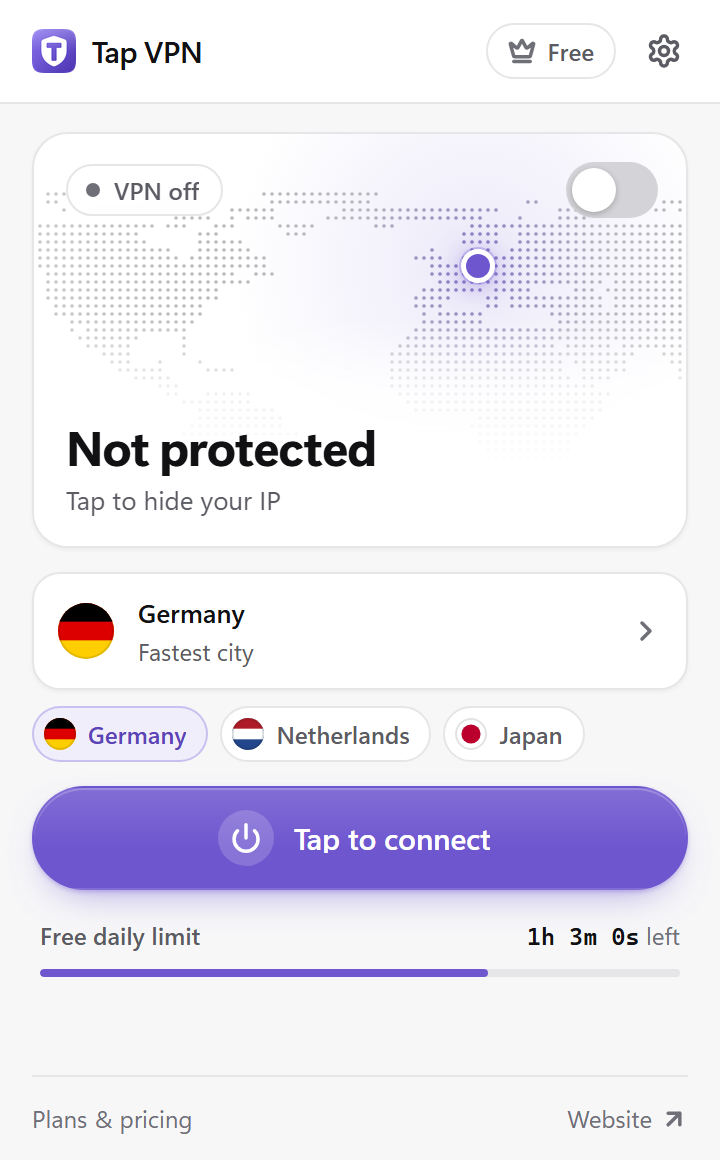
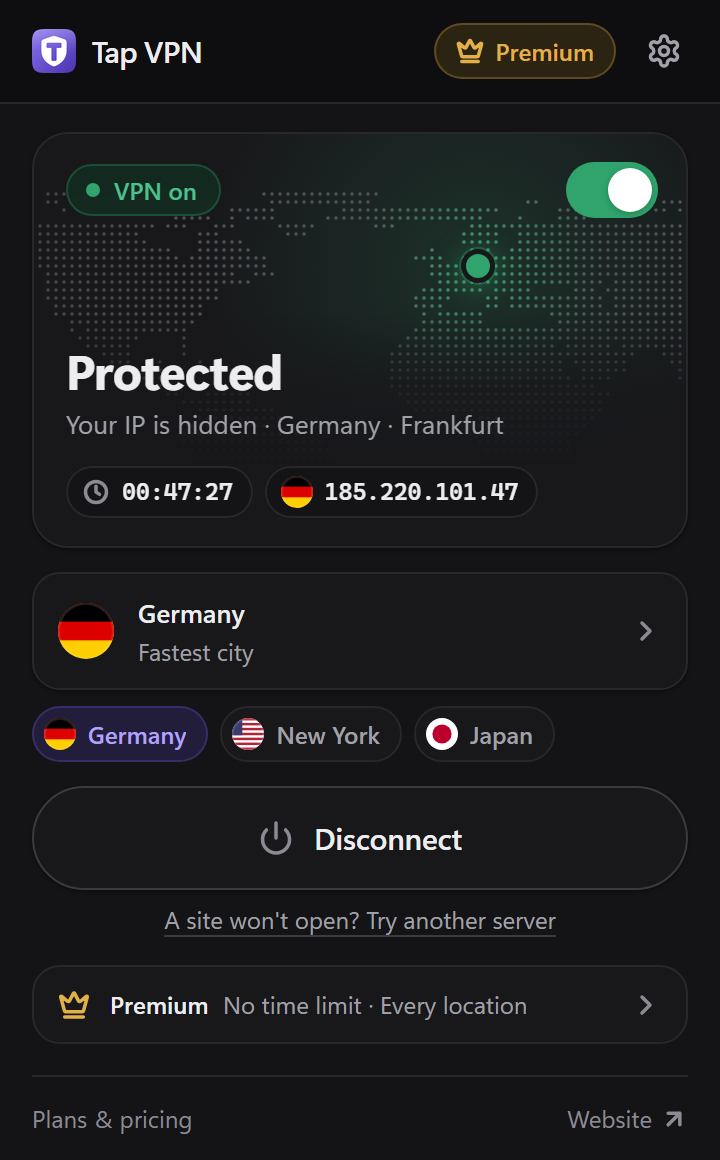
Superior security
Tap VPN delivers enterprise-grade encryption right inside Chrome with zero performance drop.
Stream 4K UHD video, game with low ping and download without buffering. Powered by custom-optimized proxy nodes.
We never track, store or sell your browsing history, visited URLs, DNS queries or online timestamps. Your data belongs to you.
Integrated EasyList and EasyPrivacy filters block banner ads, video promotions and tracking analytics before they load.
Stops WebRTC from revealing your real home IPv4/IPv6 address to websites. An automatic fail-safe kill switch keeps you safe.
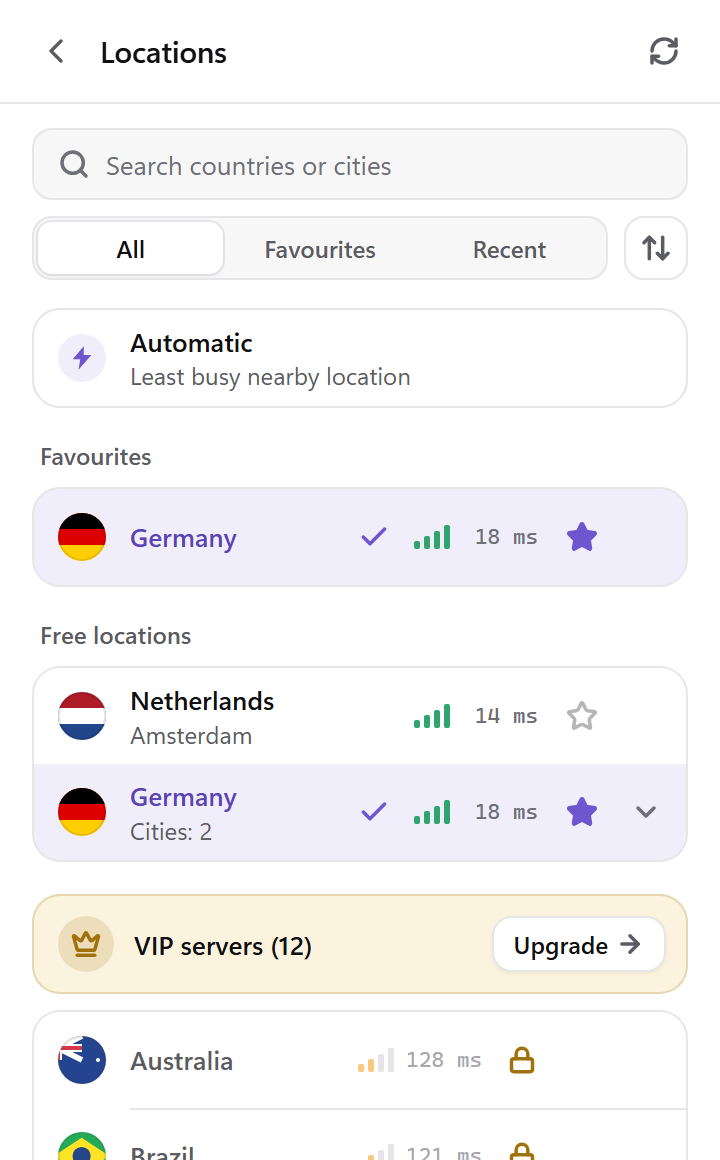
Continuously measures ping latency and server load to match you with the fastest server nearby, instantly.
Need local banking sites to skip the VPN while everything else stays encrypted? Set custom domain bypass rules in one click.
New in Tap VPN
Small details that make a private connection feel effortless, built right into the extension.
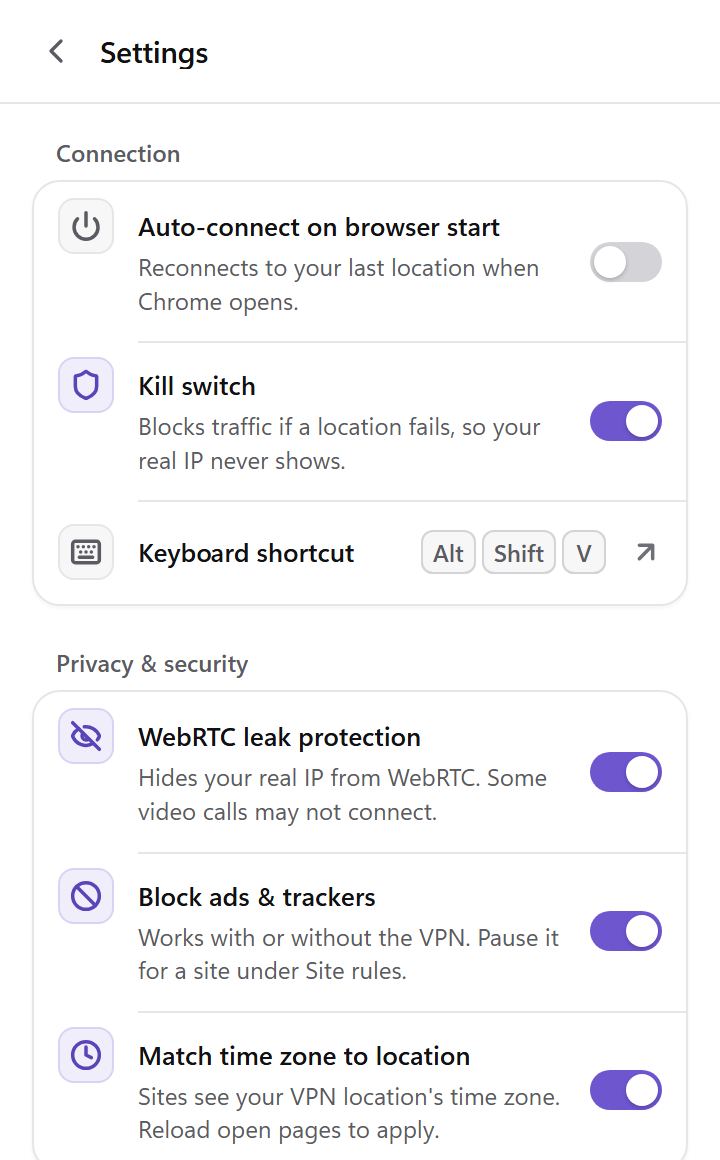
Every option lives in one calm settings screen: startup, shortcuts, menus and appearance.
Connect or disconnect from any tab without opening the popup.
Connect, or skip the VPN on the current site, straight from the page.
Reconnects to your last location when Chrome opens.
Follows your system, or pick one. Try it on this page:
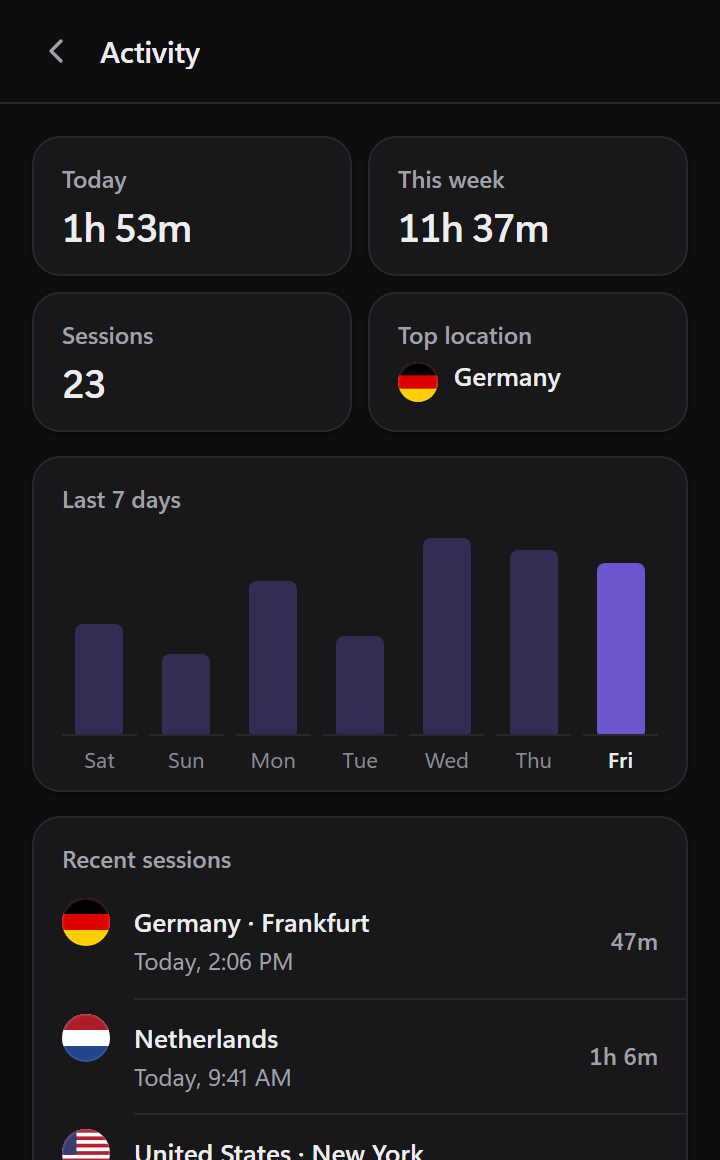
Your connection time and recent sessions — today, this week and your top location. Kept on this device only, and you can clear it any time.
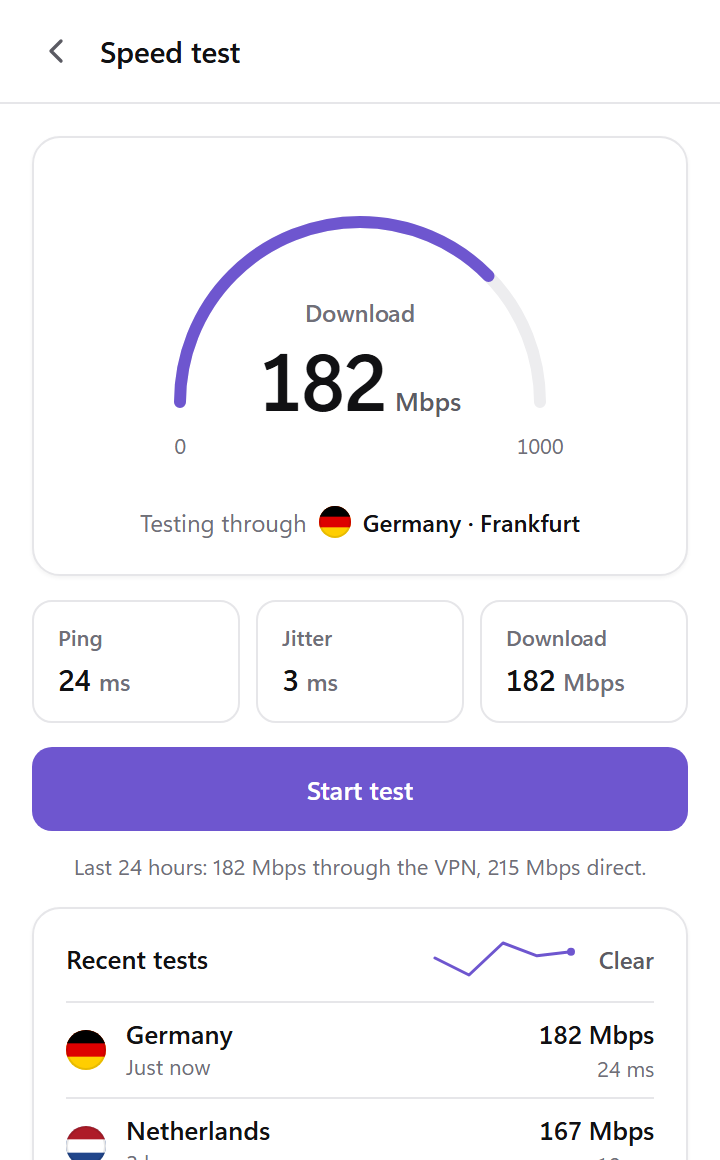
Measure download speed, ping and jitter through your current location, and compare your recent tests.
One VIP plan covers up to 5 devices. Create a code in Account, then enter it in Tap VPN on your other device under Redeem a code — no passwords to share.
Global coverage
From North America to Europe and Asia-Pacific, browse from any corner of the globe with low latency.
Get started in 30 seconds
No complicated terminal configurations or bloated desktop apps required.
Click to add Tap VPN to Chrome from the Chrome Web Store in seconds, then pin it to your toolbar.
Pick from 41+ worldwide countries, or let the algorithm connect you to the fastest server automatically.
Hit "Tap to connect". Your browser traffic is now shielded with military-grade encryption.
Transparent and simple pricing
Start 100% free with 3 servers in France, or upgrade to VIP for unthrottled 10 Gbps speeds, 41+ worldwide locations and 5 simultaneous devices.
Free forever
$0/ mo
Essential daily browsing with built-in ad blocker and WebRTC leak shield.
Best value plan
$47.8858% discount
$1.67/ mo
Billed as $19.99 / year. Complete unthrottled global freedom.
Flexible billing
$3.99
$3.99/ mo
Full VIP benefits with flexible month-to-month billing. Cancel anytime in 1 click.
One-time payment
$29.99once
Pay a single time and keep every VIP benefit forever. No renewals, no subscription.
Already subscribed? Manage or cancel your subscription
Common questions
Still stuck? Contact support and we'll help.
Yes. Tap VPN offers a 100% free tier that includes 3 high-speed servers located in France with 90 minutes of daily active connection time. No credit card or account registration is needed to use the free tier.
No. We operate under a strict zero-logs policy. We do not inspect, log or store your browsing history, visited websites, downloaded files or IP addresses. Your web activity remains completely private.
VIP servers are premium 10 Gbps dedicated nodes with ultra-low latency (under 20 ms in many regions). VIP unlocks 41+ worldwide countries without any daily time limit and supports up to 5 linked devices.
No. In fact, Tap VPN frequently bypasses ISP bandwidth throttling on video streaming and heavy sites. Our servers use 10 Gbps uplinks with automatic lowest-latency server selection.
Tap VPN is built for Google Chrome (version 116 or later) and installs from the Chrome Web Store in one click.
Yes. Press Alt + Shift + V on any tab, or right-click a page and choose Connect Tap VPN. You can also turn on auto-connect so Tap VPN reconnects to your last location when Chrome starts.

Private, unthrottled and borderless browsing in Chrome — free to start, no sign-up needed.